Yes, any current power station with 300 W or more of output can run a typical desktop and monitor, and a 1,024 Wh unit keeps one going for about 3.5 h. A full 8-hour workday with the router on takes about 2.5 kWh of station. If the power cuts while you work, a UPS mode with a switchover of 10 ms or less is what keeps the PC from rebooting.
As an Amazon Associate, RightSizePower earns from qualifying purchases. That never changes how models are ranked. How we recommend
How long does a power station run a computer?
Typical nonstop runtime, including the battery reserve, inverter loss and the station's standby draw. The laptop row charges through USB-C, skipping the inverter for the laptop.
| Setup | 1,024 Wh | 2,048 Wh | 3,072 Wh |
|---|---|---|---|
| Laptop on USB-C + Wi-Fi60 W laptop, 15 W router | 9.6 h | 18 h | 27 h |
| Desktop + monitor213 W typical | 3.5 h | 6.9 h | 10 h |
| Desktop + monitor + Wi-Fi228 W | 3.3 h | 6.4 h | 9.7 h |
| Gaming PC under load + Wi-Fi400 W, top of our range | 1.8 h | 3.6 h | 5.5 h |
Desktop figure: FirstEnergy's desktop plus a 24-inch monitor; ENERGY STAR lists a median 24-inch monitor at 13 W and a 32-inch at 29 W. Gaming PCs can pass 400 W under load.
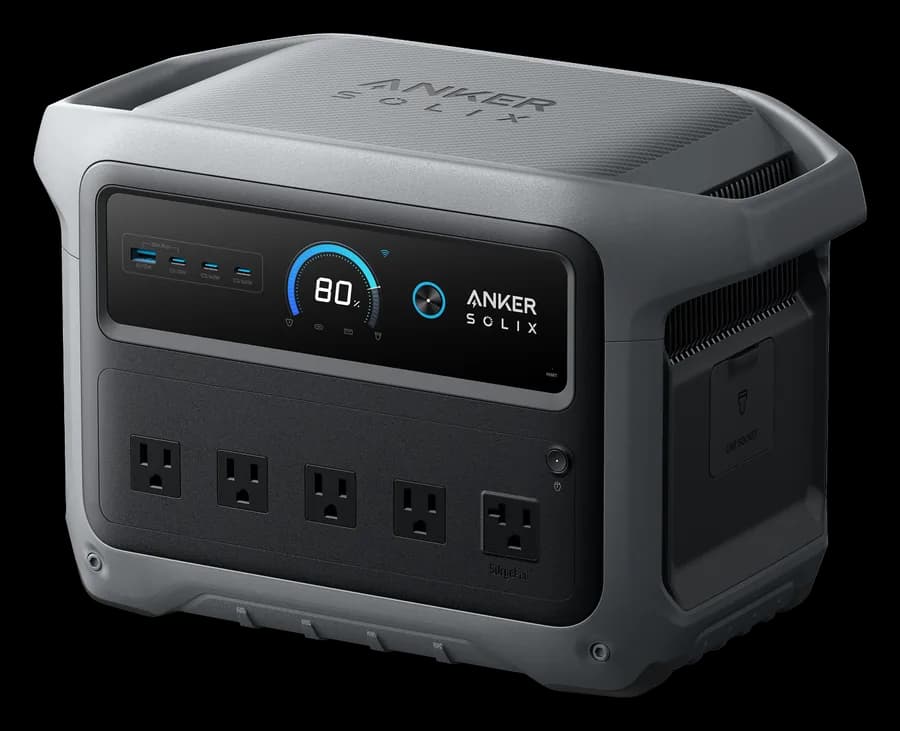
Anker SOLIX C1000 Gen 2
10 ms UPS switchover, 2,000 W and 1,024 Wh: about 3.3 h of desktop, monitor and router, or 9.6 h on a laptop.
- Capacity
- 1,024 Wh
- Output
- 2,000 W
- Weight
- 24.9 lb
- UPS
- 10 ms
Paid link
Check price on Amazon
EcoFlow DELTA 3 Ultra Plus
3,072 Wh with a 10 ms UPS switchover: about 9.7 h of desktop, monitor and router. It weighs 74.3 lb, so it stays by the desk.
- Capacity
- 3,072 Wh
- Output
- 3,600 W
- Weight
- 74.3 lb
- UPS
- 10 ms
Paid link
Check price on AmazonWill the PC stay on when the power cuts?
A power station's UPS mode isn't an online UPS. The computer runs on wall power passed through the station, and when the grid drops, the station switches to its battery after a short gap. Whether the PC notices depends on its power supply's hold-up time: how long it keeps the computer running on stored energy alone.
ATX desktop power supplies are commonly specified for at least 16 to 17 ms of hold-up at full load, and a lightly loaded supply holds up longer. The ATX 3.1 revision loosened the power-good signal timing to about 11 to 12 ms. So a station that switches in 10 ms or less usually keeps a desktop running; 20 to 30 ms is marginal, especially for a gaming PC under heavy load.
Of the 42 current models with AC outlets we track, 22 list a backup switchover of 10 ms or less, and 15 list 20 ms or more. Bluetti Apex 300 and Jackery Explorer 5000 Plus have an online mode with no gap at all; on the Explorer 5000 Plus it works only on the 20 A outlets and drops back to backup mode after a restart. Our UPS vs EPS guide explains the difference.
What station makers say about workstations
Jackery's Explorer 1000 v2 manual says its UPS switches within 20 ms and doesn't support 0 ms switching. BLUETTI's AC70P warranty excludes damage from use with devices that need a high-performance UPS, naming data servers and workstations. For a NAS or a machine where a reboot loses real work, use a dedicated UPS between the station and the computer, or an online-mode station, and save often.
How do I make a workday last?
- Work on a laptop if you can. A laptop charging from USB-C with the router on needs about 860 Wh for an 8-hour day, against about 2,500 Wh for a desktop setup. See how many laptop charges a station gives.
- Turn off the second monitor and dim the first. Monitors are a small share next to the tower, but they add up over a day.
- Keep the internet up. The router and modem draw about 15 W. If you rely on Starlink, see how long a station runs Starlink.
- Leave a charge in reserve. Stop with enough left to shut down cleanly, and keep the station plugged into the wall when the grid is up so it's full when you need it.
Which station fits your desk?
A desktop, monitor and router run through our quiz engine. The quiz assumes about 4 hours of computer use a day, less than a full workday, so treat these picks as a floor and open any row to set your own hours.
Desktop and Wi-Fi through one night
1.2 kWh/day · 10 h
Open this in the quiz and change the devices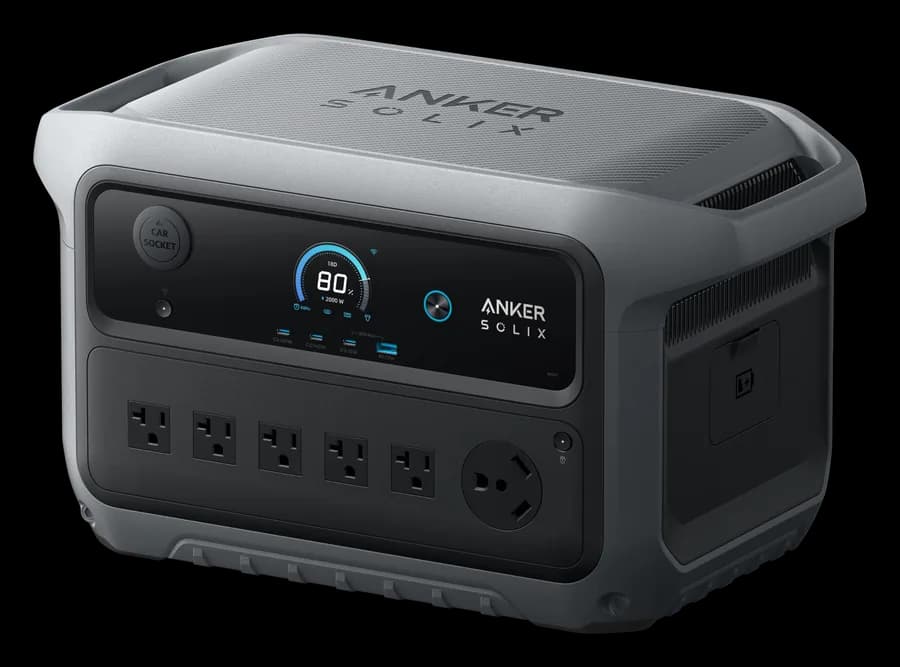
Engine's pick
Anker SOLIX C2000 Gen 2
About 14 h · also Bluetti Elite 200 V2, Anker SOLIX S2000
The same with a 10 ms or faster UPS
1.2 kWh/day · 10 h
Open this in the quiz and change the devicesEngine's pick
Anker SOLIX C2000 Gen 2
About 14 h · also Bluetti Elite 200 V2, Anker SOLIX S2000
Laptop instead of a desktop
0.6 kWh/day · 10 h
Open this in the quiz and change the devicesEngine's pick
Anker SOLIX C1000 Gen 2
About 16 h · also EcoFlow DELTA 3, EcoFlow DELTA 3 Plus
Desktop, Wi-Fi and Starlink for a full day
3.3 kWh/day · 24 h
Open this in the quiz and change the devices
Engine's pick
EcoFlow DELTA 3
About 26 h with an extra battery · also EcoFlow DELTA 3 Plus, DJI Power 1000 V2
One night, under $1,000
1.2 kWh/day · 10 h
Open this in the quiz and change the devicesEngine's pick
Anker SOLIX C2000 Gen 2
About 14 h · also Bluetti Elite 200 V2, Anker SOLIX S2000
Picks come from the same engine as the quiz, recalculated whenever our catalog changes.
Check your own desk
Enter your PC's watts if you know them (a plug-in meter or the power supply's software shows real draw), set your hours and add the router. The full runtime calculator covers expansion batteries too.
1. What you want to run
Desktop PC + monitor
Gaming PCs can go past 400 W under load.
Wi-Fi router + modem
A combo gateway sits at the low end; separate modem and router at the high end.
2. The power station
What people actually ask
How long will a 1000 Wh power station run a desktop computer?
About 3.5 hours for a typical desktop and 24-inch monitor drawing around 213 W, and a little less with the router on. A gaming PC under heavy load can cut that to under 2 hours.
What size power station do I need to work a full day on a desktop?
For an 8-hour day on a desktop, monitor and router, about 2.5 kWh of station. A laptop charging from USB-C with the router on needs about a third of that, which is the simplest way to stretch a smaller unit.
Can I use a power station as a UPS for my computer?
Many have a UPS mode that switches to battery in 10 to 30 ms. ATX power supplies are commonly specified to ride through at least 16 to 17 ms at full load, so a 10 ms switchover usually keeps a desktop running; 20 to 30 ms is marginal. Test it with your work saved before relying on it.
Which power stations have a 0 ms UPS?
In our catalog, the BLUETTI Apex 300 and the Jackery Explorer 5000 Plus have an online mode with no switchover gap. On the Explorer 5000 Plus it works only on the 20 A outlets and returns to its standard backup mode after a restart.
Can a power station run a server or NAS?
Station makers advise against it. Jackery's Explorer 1000 v2 manual says its UPS mode doesn't support 0 ms switching, and BLUETTI's AC70P warranty excludes damage from use with data servers and workstations that need a high-performance UPS. Use a dedicated UPS, or an online-mode station, for that kind of equipment.
The bottom line
Any current station with 300 W or more of output runs a typical desktop; the questions are hours and switchover. A 1 kWh unit covers a few hours, and a full desktop workday takes about 2.5 kWh. Pick a UPS switchover of 10 ms or less, or an online mode for equipment that can't reboot, and work on a laptop when you can. Compare switchover times in the chart or take the quiz.
Sources (checked 2026-11-01)
- FirstEnergy: understanding electricity use (desktop and monitor)
- ENERGY STAR certified displays (dataset)
- HWBusters: ATX 3.1 PSU review (hold-up time and power-good timing)
- Jackery Explorer 1000 v2 user manual (UPS switchover)
- Jackery Explorer 5000 Plus user manual (online UPS mode)
- BLUETTI AC70P user manual (warranty exclusions)
- Tom Barbette: home network power draw (router and modem)