Take the station's watt-hours, keep about 81% for losses when you charge through USB-C, and divide by your device's battery size in watt-hours: a 1,024 Wh station gives about 15 full charges of a 13-inch MacBook Air. Even a small 288 Wh unit charges a phone more than a dozen times. Phones and laptops are the lightest loads you can put on a power station, so charge them from USB-C, keep the AC inverter off, and size the station for whatever else you need to run.
As an Amazon Associate, RightSizePower earns from qualifying purchases. That never changes how models are ranked. How we recommend
How many full charges by station size?
Full 0 to 100% charges through the station's USB-C ports. These are upper estimates: the phone or laptop also loses some energy as heat while it charges, and we found no maker figure for that loss, so expect somewhat fewer.
| Device battery | 288 Wh | 512 Wh | 1,024 Wh | 2,048 Wh |
|---|---|---|---|---|
| Example phone batteryExample size: check your phone (see below) | 15 | 27 | 55 | 110 |
| iPad Air 11-inch (M4)28.93 Wh, Apple spec | 8 | 14 | 28 | 57 |
| iPad Air 13-inch (M4)36.59 Wh, Apple spec | 6 | 11 | 22 | 45 |
| MacBook Air 13-inch (M5)53.8 Wh, Apple spec | 4 | 7 | 15 | 30 |
| MacBook Air 15-inch (M5)66.5 Wh, Apple spec | 3 | 6 | 12 | 24 |
| MacBook Pro 14-inch72.4 Wh, Apple spec | 3 | 5 | 11 | 22 |
| MacBook Pro 16-inch99.6 Wh actual rating, Apple spec | 2 | 4 | 8 | 16 |
Method: station Wh × 0.9 (battery reserve) × 0.9 (USB-C conversion, our assumption; no maker publishes it) ÷ device Wh. Through the AC outlet, use × 0.85 instead of × 0.9, and the inverter's standby draw takes a little more.

Anker SOLIX C300 DC
288 Wh, 4 USB-C ports up to 140 W and 6.17 lb. About 4 MacBook Air 13-inch charges or 15 of a 15 Wh phone battery.
- Capacity
- 288 Wh
- Output
- DC only
- Weight
- 6.2 lb
- UPS
- None
Paid link
Check price on Amazon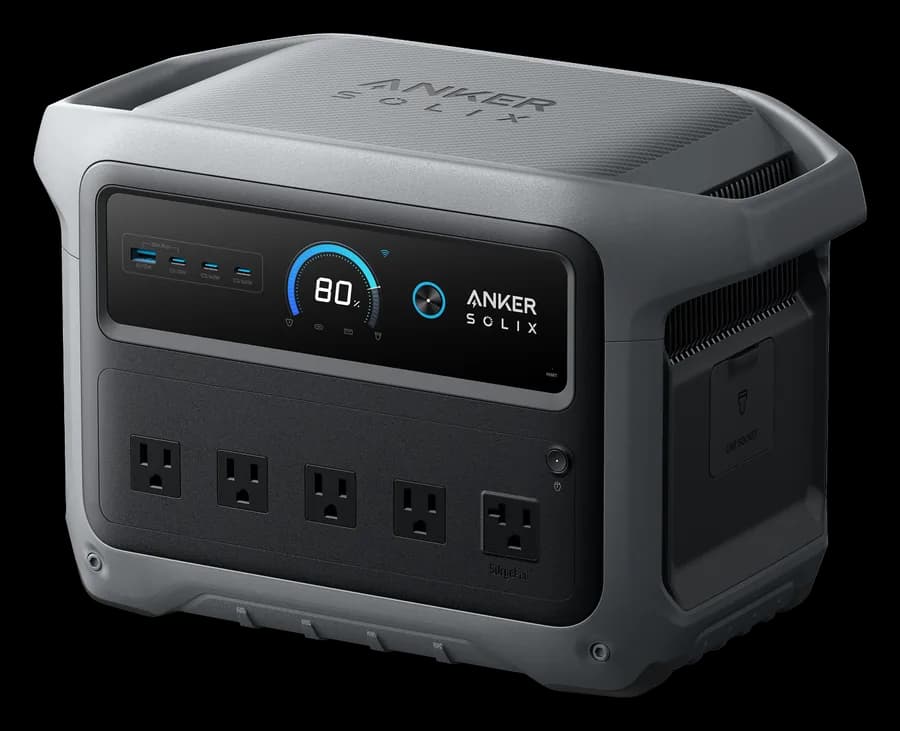
Anker SOLIX C1000 Gen 2
1,024 Wh with 3 USB-C ports up to 140 W, enough for a 16-inch MacBook Pro at full speed, and 2,000 W of AC for a fridge or router.
- Capacity
- 1,024 Wh
- Output
- 2,000 W
- Weight
- 24.9 lb
- UPS
- 10 ms
Paid link
Check price on AmazonHow do you work out the number of charges?
You need two numbers in watt-hours (Wh): the station's capacity and your device's battery. The station's battery management keeps a reserve, so about 90% of the rated Wh is usable. Then the energy goes through a converter on its way out. Through USB-C, we assume about 90% survives; through the AC outlet, the inverter keeps about 85%, and the laptop's own power brick then loses some more on top.
Put together, a station delivers roughly 81% of its rated Wh through USB-C and about 77% through the AC outlet, before the device's own charging losses. Divide that by your device's Wh and you get full charges from empty.
Where do I find my device's battery size?
Laptop and tablet makers often list watt-hours on the spec page. Apple does: the 13-inch MacBook Air has a 53.8 Wh battery, the 15-inch 66.5 Wh, the 14-inch MacBook Pro 72.4 Wh and the 16-inch 99.6 Wh (sold as 100 Wh). The 11-inch iPad Air has 28.93 Wh and the 13-inch 36.59 Wh.
Phones are harder, because most makers list milliamp-hours (mAh) instead. To convert, multiply the mAh by the battery's nominal voltage (printed on the battery label or in the manual) and divide by 1,000. That's why the phone row in the table is a labelled example, not a specific model: replace the 15 Wh with your own number.
Does the USB-C port's wattage matter?
It decides how fast a laptop charges, not how many times. If the port supplies less than your laptop's charger, the laptop charges more slowly, and a large laptop working hard can drain while plugged in. Apple ships the 16-inch MacBook Pro with a 140 W adapter and the MacBook Air with a 40 W adapter that peaks at 60 W.
Of the 45 current models with USB-C we track, 43 have a port rated at 100 W or more and 15 reach 140 W. The comparison chart lists the ports on each one.
What about charging during an outage?
- Phones won't drain the station. A family's phones take a small slice of a 1 kWh station per day. The fridge, a CPAP or a TV decide the size.
- Keep the inverter off when you can. With AC on, the inverter itself draws roughly 10 to 30 W depending on the station's size, whether or not anything is plugged in. If you only need USB, switch AC off.
- Laptop or desktop? A laptop on USB-C uses a fraction of a desktop's power. If you work from home through an outage, see how long a station runs a desktop computer.
Which station fits your devices?
Two phones and a laptop run through our quiz engine under different plans. The quiz charges them from USB where the station has the right port; open any row to change it.
A night of camping, phones and a laptop
0.3 kWh/day · 10 h
Open this in the quiz and change the devicesJackery512 WhEngine's pick
Jackery Explorer 500 v2
About 15 h · also Anker SOLIX C800X / C800 Plus, EcoFlow RIVER 2 Pro
A weekend away without recharging
0.3 kWh/day · 3 days
Open this in the quiz and change the devicesClosest fit
Anker SOLIX C1000 Gen 2
Covers about 3 days · also Jackery Explorer 1000 v2, Jackery HomePower 1000 Plus v2
A remote work day with Starlink Mini
1.0 kWh/day · 24 h
Open this in the quiz and change the devicesClosest fit
Anker SOLIX C1000 Gen 2
Covers about 20 h · also Jackery Explorer 1000 v2, Jackery HomePower 1000 Plus v2
An outage day with the Wi-Fi on
0.6 kWh/day · 24 h
Open this in the quiz and change the devices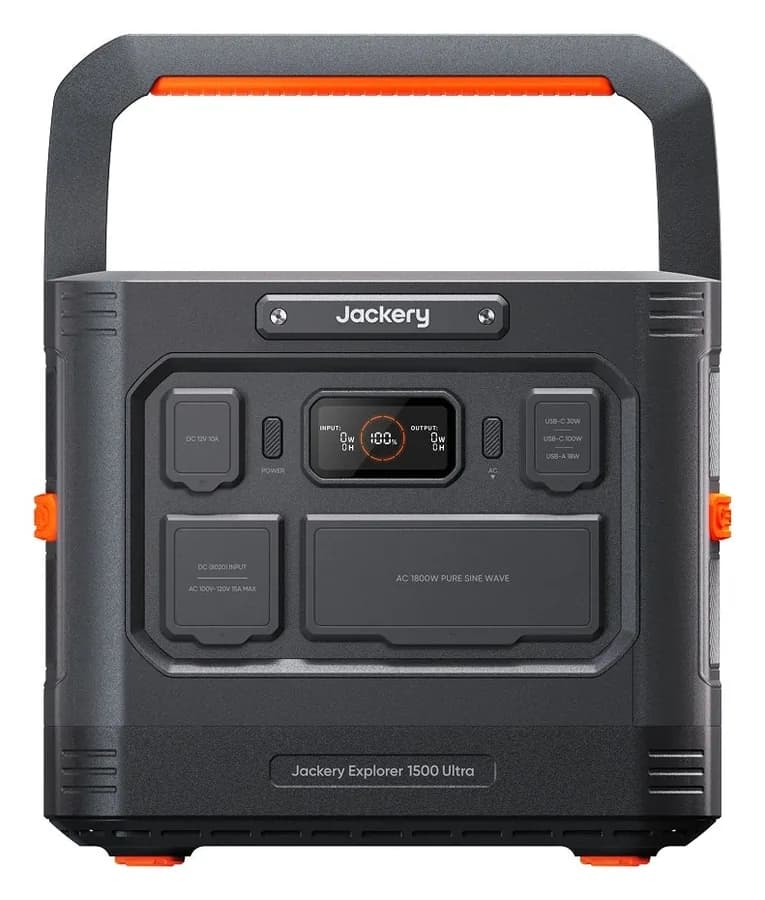
Engine's pick
Jackery Explorer 1500 Ultra
About 32 h · also Anker SOLIX C2000 Gen 2, Jackery Explorer 2000 v2
A weekend, under $500
0.3 kWh/day · 3 days
Open this in the quiz and change the devicesClosest fit
Anker SOLIX C1000 Gen 2
Covers about 3 days · also Jackery Explorer 1000 v2, Anker SOLIX C800X / C800 Plus
Picks come from the same engine as the quiz, recalculated whenever our catalog changes.
Check your own devices
The calculator works in hours of use, not charges: set how long you use each device per day and whether it charges from USB. The full runtime calculator covers every device in our data.
1. What you want to run
Laptop
Charge from the station's USB-C port to skip inverter losses.
Phone or tablet chargingestimate
Tiny load. Use the USB ports, not the AC outlet.
2. The power station
What people actually ask
How many times can a 300 Wh power station charge a laptop?
A 288 Wh station gives about four full charges of a 13-inch MacBook Air (53.8 Wh) and about two of a 16-inch MacBook Pro (99.6 Wh) through USB-C, before the device's own charging losses. Count fewer if you charge through the AC outlet and the laptop's brick.
How many phone charges is 1000 Wh?
Roughly 55 full charges of a 15 Wh phone battery through USB-C, before the phone's own charging losses. Most people top up from 20 or 30% rather than from zero, so the number of top-ups is even higher. The limit during an outage is almost never the phones.
How do I find my phone's battery size in watt-hours?
Phone makers usually list milliamp-hours (mAh). Multiply the mAh by the battery's nominal voltage, which is printed on the battery label or in the manual, and divide by 1,000. A 4,000 mAh battery rated at 3.85 V, for example, holds 15.4 Wh.
Is it better to charge a laptop from USB-C or the AC outlet?
USB-C, when the station's port supplies enough watts for your laptop. It skips the station's inverter, and the inverter can stay off, which saves its standby draw too. Use the AC outlet and the laptop's own brick only if the laptop needs more watts than the port can give.
Will a power station charge my laptop at full speed?
Only if its USB-C port is rated at or above your laptop's charger. A 16-inch MacBook Pro comes with a 140 W adapter, so a 100 W port charges it more slowly; a 13-inch MacBook Air comes with a 40 W adapter (60 W max), which almost any station's USB-C port covers.
The bottom line
Charges ≈ station Wh × 81% ÷ device Wh through USB-C. A 288 Wh station handles phones and a laptop for a weekend; a 1 kWh unit charges a MacBook Air about 15 times and still has room for a router or a fridge. Pick a USB-C port that matches your laptop's charger, and size the station for your bigger loads. Our small power station guide covers the light end, or take the quiz.