A 1,000 Wh power station runs a Starlink Standard kit for about 8 h and a Starlink Mini for about 28 h when the Mini runs from a USB-C or 12 V port. The Standard uses roughly three times the Mini's power and needs the AC outlet, which adds the inverter's losses and standby draw. To keep Starlink on for a full 24 hours, plan on about 3.2 kWh of battery for the Standard, while a 1 kWh unit covers the Mini on DC.
As an Amazon Associate, RightSizePower earns from qualifying purchases. That never changes how models are ranked. How we recommend
How long does each Starlink kit run?
Typical runtime with Starlink on around the clock, including the battery reserve, inverter loss and standby draw on AC, or DC conversion loss on USB-C and 12 V. Starlink's averages include the router.
| Kit and power path | Per day | 288 Wh | 512 Wh | 1,024 Wh | 2,048 Wh |
|---|---|---|---|---|---|
| Starlink Standard, AC outlet88 W average (75–100 W) | 2.1 kWh | 2.3 h | 4.1 h | 8 h | 15 h |
| Standard, snow melt or heat100 W, top of Starlink's range | 2.4 kWh | 2 h | 3.6 h | 7.1 h | 14 h |
| Starlink Mini, AC outlet30 W average (20–40 W) | 0.7 kWh | 5.7 h | 10 h | 19 h | 35 h |
| Mini, USB-C PD or 12 V30 W, skips the inverter | 0.7 kWh | 7.8 h | 14 h | 28 h | 2.3 days |
| Mini, snow melt60 W maximum input, on DC | 1.4 kWh | 3.9 h | 6.9 h | 14 h | 28 h |

Anker SOLIX C300 DC
288 Wh at 6.17 lb with two 140 W USB-C ports: about 7.8 h of a Mini. No AC outlets, so it can't run a Standard kit.
- Capacity
- 288 Wh
- Output
- DC only
- Weight
- 6.2 lb
- UPS
- None
Paid link
Check price on Amazon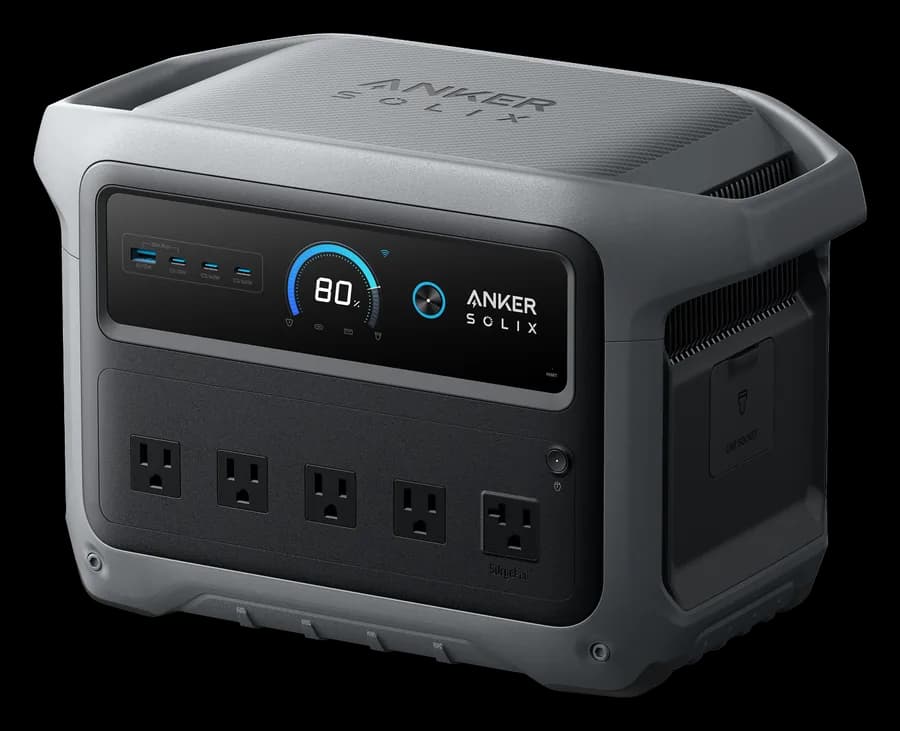
Anker SOLIX C1000 Gen 2
1,024 Wh: about 8 h of a Standard kit on AC, or about 28 h of a Mini from its 140 W USB-C port.
- Capacity
- 1,024 Wh
- Output
- 2,000 W
- Weight
- 24.9 lb
- UPS
- 10 ms
Paid link
Check price on AmazonStandard vs Mini: how much power each uses
Starlink lists the Standard kit at 75 to 100 W on average and the Mini at 20 to 40 W (25 to 40 W on its spec sheet). Both figures include the router and power supply, and both vary with temperature, location and how hard you use the connection. Over a full day that's about 1.8 to 2.4 kWh for the Standard and 0.5 to 1 kWh for the Mini. The older Flat High Performance kit averages 110 to 150 W, so it empties a station faster still.
Idle draw is the floor. Starlink lists about 20 W for the Standard and about 15 W for the Mini with nobody online. Turning the dish off when you're not using it saves more than any setting.
Why the power path matters: AC vs USB-C or 12 V
The Standard kit ships with an AC power supply, so on a power station it runs from an AC outlet. That means the inverter loses about 15% of the energy turning battery power into AC, and the inverter itself draws power the whole time it's on: around 12 W on a mid-size unit, which is a big share of a 30 W load.
The Mini accepts 12 to 48 V DC (60 W maximum) or USB-C Power Delivery, and Starlink says the USB-C source must supply at least 100 W (20 V at 5 A). Running it from a 100 W USB-C port or a 12 V outlet skips the inverter, which is why the same 1 kWh station runs a Mini about 19 h on AC but about 28 h on DC. Of the 43 current models we track (not counting pocket power banks), 42 have a USB-C port rated 100 W or more.
Snow melt, heat and other things that raise the draw
Starlink dishes heat themselves to melt snow, up to about 40 mm (1.5 in) an hour for the Standard and 25 mm for the Mini. Starlink doesn't publish the extra watts, so we use the top of the Standard's range and the Mini's 60 W maximum input for snowy days; the table shows what that does to runtime. Cold also cuts how much of the battery you can use: our calculator has a cold-weather setting.
Planning Starlink for an outage, RV or remote work
- Add the laptop. Starlink alone isn't the whole load. A laptop averages about 60 W while working; run it from USB-C too.
- Work hours, not 24 hours. If you only need Starlink for a workday, switch it off after. A 1 kWh unit runs a Standard kit for about 8 h, roughly one workday before you add the laptop.
- Recharge with solar for multi-day trips. A Standard kit uses about 2 kWh a day at the dish, more from the battery; check each station's solar input in the comparison chart.
- Turn off ECO or auto-off modes. A Mini at idle can look like a light load, and some stations switch their outputs off below a threshold.
Which station fits your Starlink setup?
Starlink and a laptop run through our quiz engine under different plans. The Mini and laptop run from DC in the quiz; open any row to change the devices.
Standard and a laptop for a full day
2.4 kWh/day · 24 h
Open this in the quiz and change the devices
Engine's pick
EcoFlow DELTA 3
About 36 h with an extra battery · also EcoFlow DELTA 3 Plus, Anker SOLIX C2000 Gen 2
Mini and a laptop overnight, one-hand carry
1.0 kWh/day · 10 h
Open this in the quiz and change the devicesEngine's pick
Anker SOLIX C1000 Gen 2
About 15 h · also Anker SOLIX C800X / C800 Plus, Jackery Explorer 1000 v2
Mini and a laptop for a full day
1.0 kWh/day · 24 h
Open this in the quiz and change the devices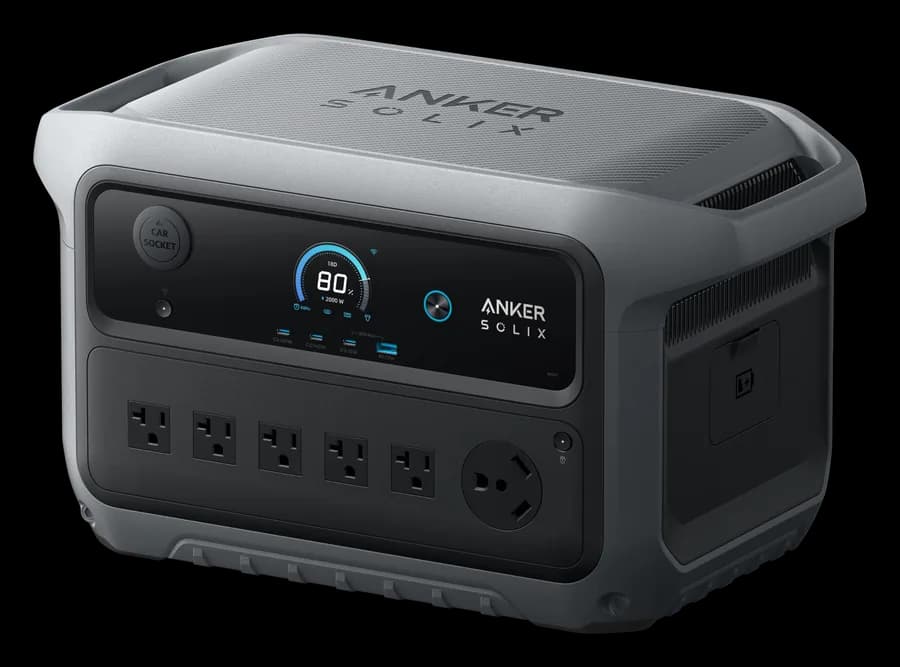
Engine's pick
Anker SOLIX C2000 Gen 2
About 41 h · also Jackery Explorer 1500 Ultra, Anker SOLIX S2000
Standard and a laptop with solar recharging
2.4 kWh/day · 24 h
Open this in the quiz and change the devices
Engine's pick
Jackery Explorer 5000 Plus
About 31 h · also EcoFlow DELTA Pro 3, Anker SOLIX C2000 Gen 2
Picks come from the same engine as the quiz, recalculated whenever our catalog changes.
Check your own setup
Pick your Starlink kit, set the hours you use it, add a laptop or router, and choose a station. Switch the Mini to DC to see the USB-C runtime.
1. What you want to run
Starlink Standard
Includes the router. Idle draw is 20 W; snow melting pushes it to the top of the range.
Laptop
Charge from the station's USB-C port to skip inverter losses.
2. The power station
What people actually ask
How long will a 1000 Wh power station run Starlink?
About 8 hours for a Starlink Standard kit averaging 88 W through the AC outlet. A Starlink Mini runs about 19 hours from the AC outlet and about 28 hours from a 100 W USB-C port, because the DC path skips the inverter and its standby draw.
Can I power a Starlink Mini from a power station's USB-C port?
Yes, if the port supplies at least 100 W of USB-C Power Delivery (20 V at 5 A), which is Starlink's stated minimum. It also accepts 12 to 48 V DC. Either way it avoids the inverter and runs noticeably longer than from an AC outlet.
How much power does Starlink use per day?
Starlink's own averages work out to about 1.8 to 2.4 kWh a day for the Standard kit and about 0.5 to 1 kWh a day for the Mini, including the router. Snow melting and hot weather push it higher.
Does Starlink use less power when nobody is online?
Some. Starlink lists idle draw at about 20 W for the Standard and about 15 W for the Mini. It never drops to zero while it's on, so switch the dish off overnight if you don't need it.
How does snow melt affect Starlink runtime?
Snow melting heats the dish and moves it to the top of its power range. Starlink doesn't publish a separate snow-melt wattage, so plan on about 100 W for the Standard and up to the Mini's 60 W maximum input.
The bottom line
A Starlink Standard kit uses about 2 kWh a day, which takes about 3.2 kWh of battery through the inverter; a Mini uses well under 1 kWh. A 1 kWh station runs a Standard kit for about 8 h and a Mini for more than a day if you run it from USB-C or 12 V. For more than a day, add solar. The quiz ranks models against Starlink plus everything else you'll plug in.